

whipUp!
UX/UI Design
6 minutes read.

The problem
Fridges and pantries can hold leftovers of bulk bought ingredients (veggies, eggs, flours) and semi or fully prepared dishes (unused egg whites, a soup bowl), but at times this food, for which society has already paid for in terms of production and distribution, can go wasted. At times, one doesn't want or has time to go shop for missing ingredients, and doesn't realize what the possibilities offered by what's already in the house are. At times it is difficult to buy/experiment with new ingredients because one doesn't know how they can be prepared. Especially during 2020 people might have bough lots of bulk foods that is lying unutilized or will go wasted because the same recipes tried over and over again might get boring after a while.
The Concept
Everyone can cook.
WhipUp! as in whip something up, whip up something—make or prepare something, typically food, very quickly: he whipped up some salad dressing in the kitchen.
Product idea
whipUp! helps reducing food waste; whipUp! empowers everyone to learn how to cook and combine new ingredients; whipUp! enables the discovery of new ways of using ingredients and new food; whipUp! helps reducing leftovers waste by proposing ways in which they can be re-combined besides being re-heated.
Example story
whipUp! asks/user tells whipUp! what the available ingredients are, for example, “I got 4 eggs and 1lt of milk”. whipUp! will propose recipes where those are the primary ingredients and will also show what could be done if other ingredients where available.
In other words, instead of finding what ingredients are needed to prepare a given dish, whipUp! tells what is possible with the available ingredients plus few suggestions (eg. if you also happen to have some flour and spinach we could whip up an awesomely tasty frittata). The recipes proposal can be tailored based on the time and kitchen tools availability, dietary restrictions and cooking history (eg. what about trying a different dish with those spinaches today instead of the usual salad?). To discover an amazing new dish and overcome food boredom, one could go to the supermarket and enter in whipUp! the names of the ingredients they see and are interested in learning about.
whipUp! could also serve as an advertising space for local grocery stores: today Trending Joe Grocery Shop has discounted potatoes, go get some and try these recipes.
whipUp! will help preparing the recipe by following the user with a step by step guide: once the recipe is selected and ingredient list and tools availability have been double checked, the "Let's whip this up!" button will trigger a step-by-step real-time interactive guide to help cook the dish (eg. assist with kitchen timers) featuring an interface with large text, text-to-speech capability and controls that can be operated when the fingertips are dirty, for example using voice activation, gestures (eg. waive hands in fpront of the device frontal camera) and buttons that can be triggered using elbows or the back of the hand (so that the iPhone, iPad doesn't get oily or otherwise dirty).
The needs
People need food. Bulk food is usually more cost convenient but doesn't come with instructions.
People need to learn how to cook (eg. college students living alone for the first time).
People want to save money and still have a satisfying eating experience.
Society needs to reduce food waste happening after production/distribution.
Competion Audit
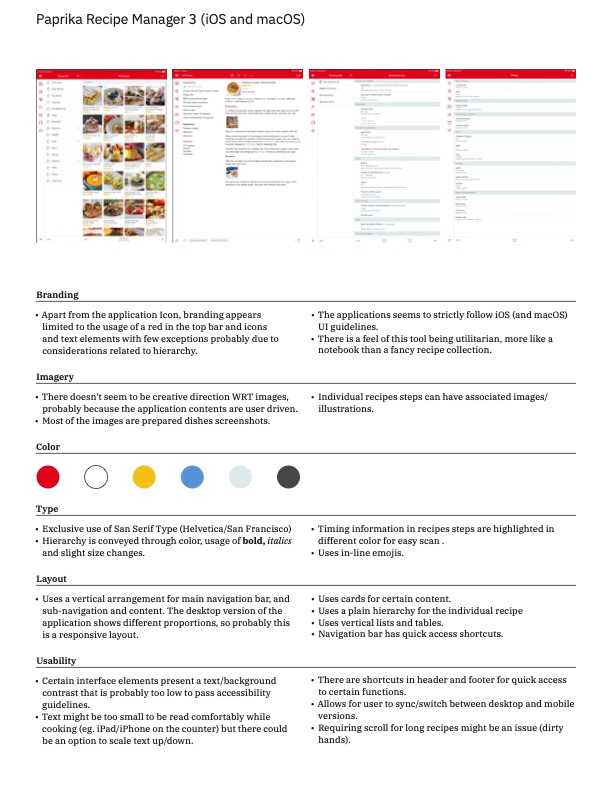
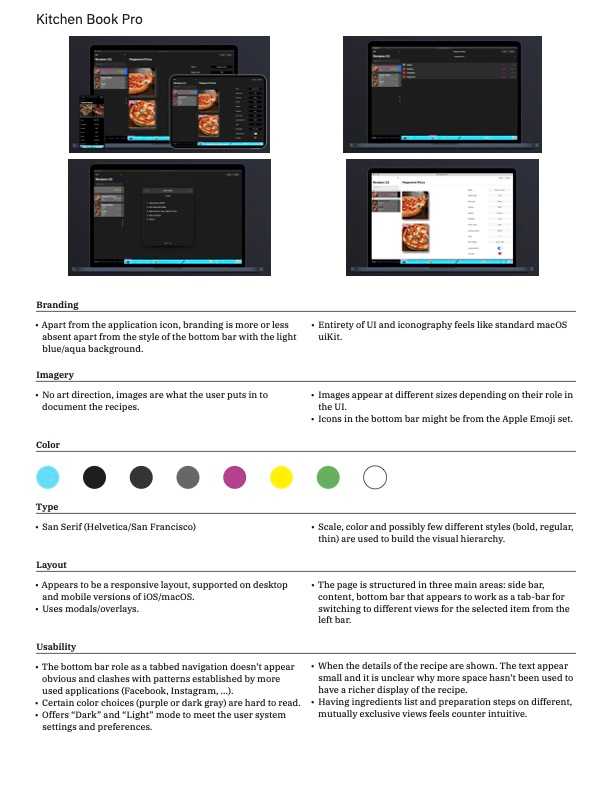
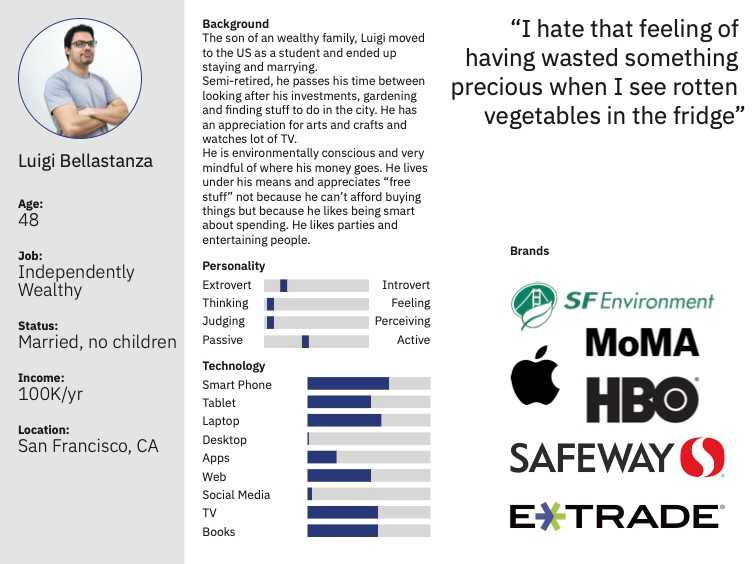
Target Audience/Persona definition
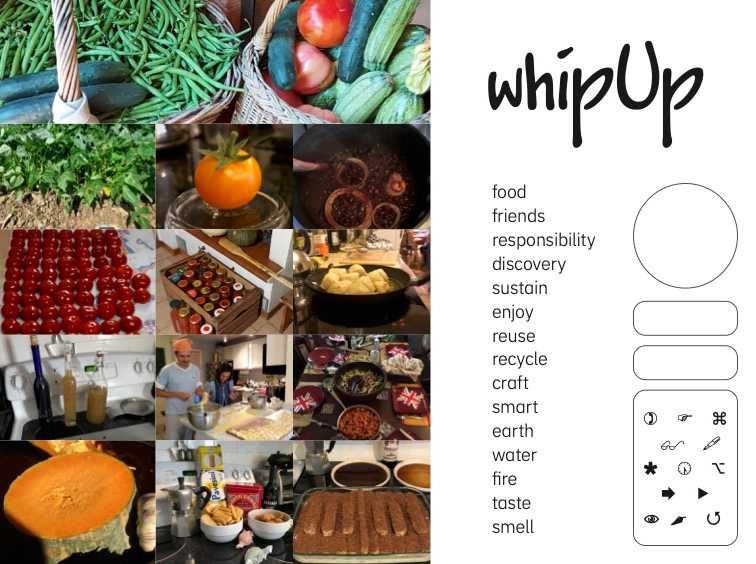
Moodboard
A typical User Journey
Assumptions:
- Luigi has already installed the application on his phone.
- It is possible to integrate the application with the voice assistant as described.
- It is possible to control the phone by gesturing in front of its camera, without touching it.
Scenario
Luigi spent the day out, strolling around the city with his wife and when the air started to get chilly they decided to go home and arrived a little tired, a little hungry, just around dinner time.
They do not really want to go out again to get to a restaurant and there is only so much take out they can enjoy in a week.
The fridge and the pantry are not exactly empty, still the question of “what do we want for dinner?” isn't easily answered and Luigi and wife feel bored and uninspired and are also slightly upset because they are getting increasingly hungry.
Luigi wants to prepare a dinner that not only satisfies his hunger but that is also more interesting that the repetition of yesterday's meal.
Luigi reaches to his iPhone and while looking at what is in the fridge he asks “Hey Siri, what can I whipUp! with spinach and onions?”
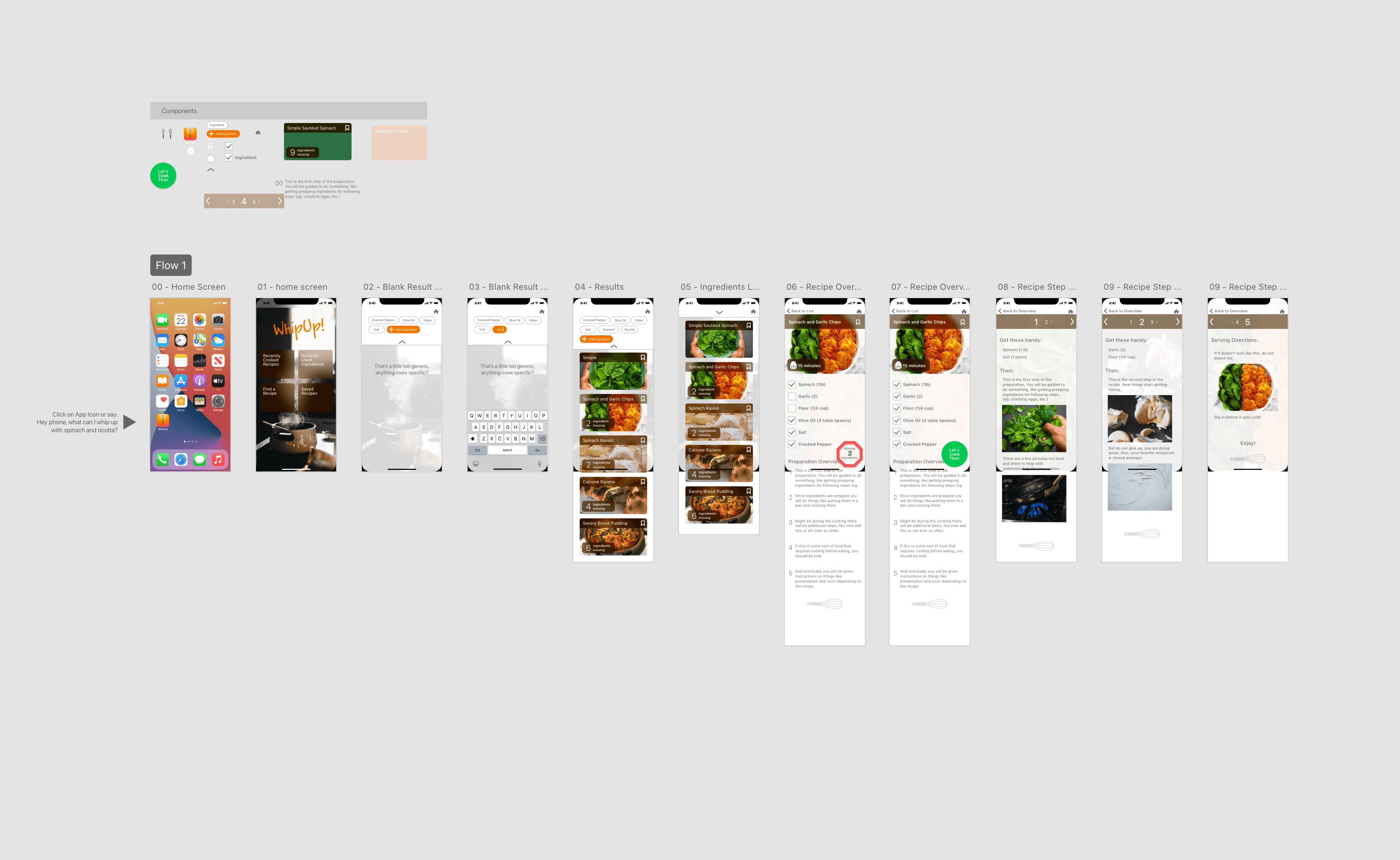
Triggered by the Siri integration, whipUp! opens up and shows a list of recipes that include only spinach and onions (plus few basic ingredients like water, oil, salt, pepper) together with recipes that are one, two, three or more “ingredients away”. The suggestion are organized in a scrollable list and each item is accompanied by a picture.
Luigi scrolls down the list of suggestions and is intrigued by how the Spinach and Onion dip looks in the picture.
He taps on the card for the recipe which lists the ingredients flagging them as available or not. The unavailable ingredients also offer a button to trigger suggestions for alternate ingredients.
Luigi clicks on “cottage cheese”, which he doesn't have, and is happy to find out that it can be substituted with ricotta or other fresh cheese, which he has.
Luigi taps on “ricotta” as a substitution and then he's presented again with the list of ingredients.
Luigi scrolls the list of ingredients acknowledging he has them by tapping on each of them and once all the ingredients are checked out, he is able to tap on the “let's cook this” button.
The application switches to the recipe card mode that is meant to assist during the preparation of the dish.
Luigi reads the instruction on the current screen and then places the phone on the kitchen counter so that he can read the screen.
Once Luigi is done with the current step he triggers the next step in the preparation by either: saying “go to the next”, tapping on the “Next” button, waving his hand from right to left, as if turning a book page, in front of the phone camera.
Once Luigi is through all the preparation steps, he clicks on the “It's ready” button and the application rewards him with an animated screen wishing to enjoy the meal.
One or two days after, if notifications are enabled for the application, Luigi receives one asking to review and comment on the recipe and prompting further actions such as marking and filing the recipe for later use or sharing it with a friend.
Development
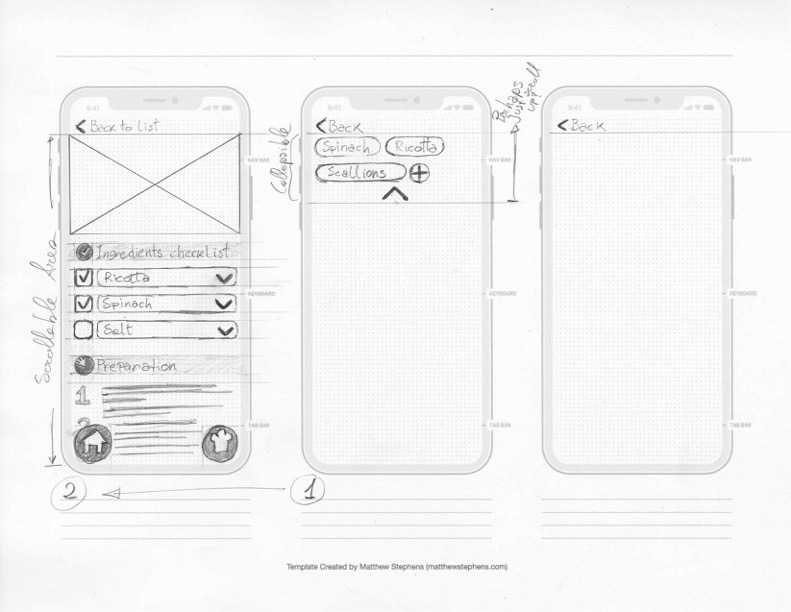
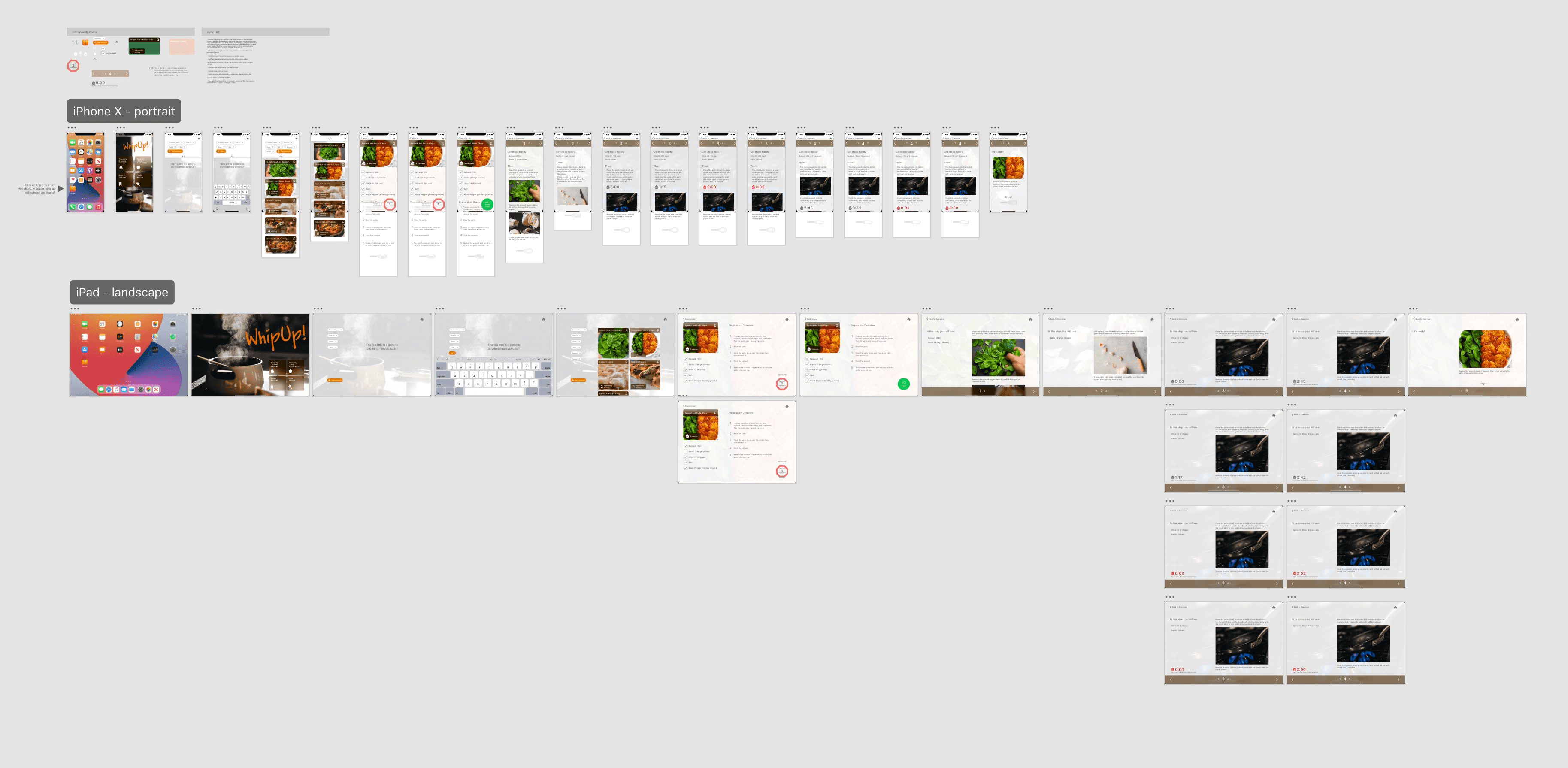
The prototype in action
Design rationale
The sole and primary goal of the product is to help people to learn how to cook. There is no feature associated with Social Media because the social element is the cooking with/for someone else and the physical sharing of food, not the sharing of non fungible digital pictures of food. The target persona shunning social media calls for the product to be intentionally different from social media platforms. The persona relative wealth and appreciation for fine things calls for the application to have a feeling akin a coffee table book: white space, and “modern clean” are also some of the feelings from the persona's associated brands.
Typography
Modernist calls for San Serif, and this application being targeted to Apple users made the choice of San Francisco a very easy and appropriate one, because of aesthetics and technical features. The family of weights and styles is large enough to cover for all the application needs.
Wordmark, logo and name
With the main type being a San Serif, the wordmark had to be more playful: Jakob's (from Adobe Fonts) handwritten yet clean and controlled feel complements San Francisco nicely. The exclamation mark was added for some extra spiciness and because is very similar to the logo used in the application icon: a stylized kitchen whip. The name whipUp! is of course because of its meaning: cook something quickly.
Colors and photography
Referencing the mood-board: warm colors (browns, oranges), colors of vegetables (greens) and fruits (reds, yellows). Photographic content is not overproduced but close to the results some might get photographing the outcome of their own attempts in their own kitchen at home, which is why whenever possible, non staged, non highly produced pictures were used to document this project. The orange for the logo, used also for the primary actions in the user interface, was chosen because of its warm, energetic feeling and association with food colors (bell peppers, pumpkin, curry, etc).
Icons
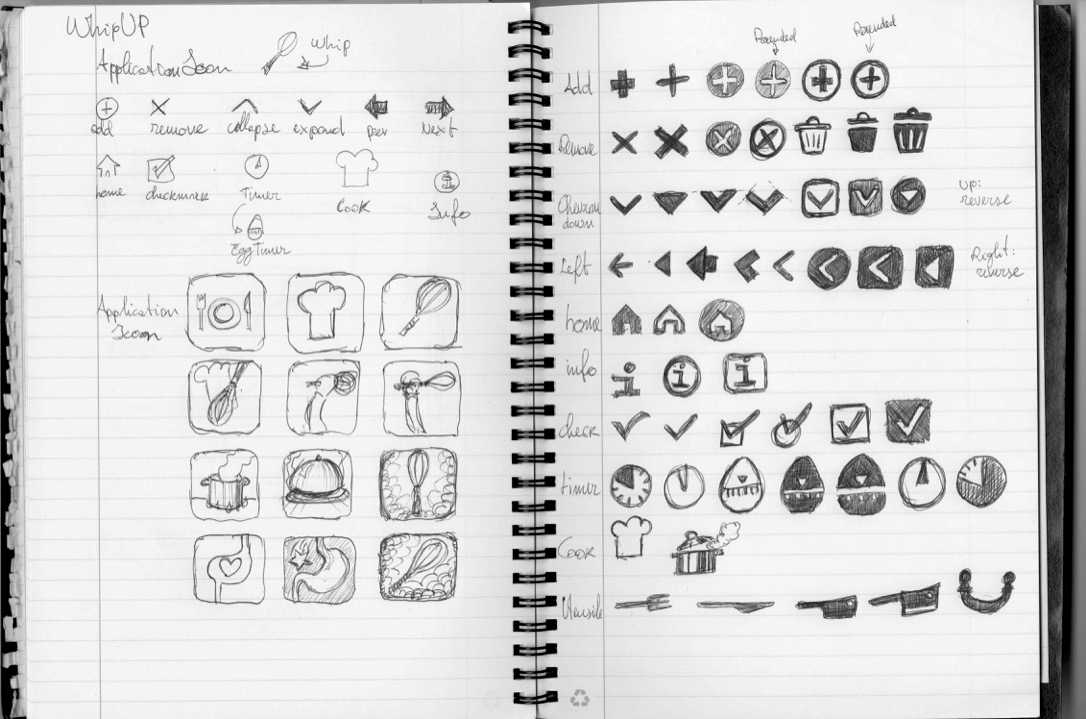
The icon design has little detail, to integrate with the main typeface and contribute to the general clean modernist style.
Interface structure
The user interface tries to emulate a physical medium, to be closer to the idea of a recipe book or stack of recipe cards by using semitransparent backgrounds and elements stacked and sliding over each other.
Content Strategy and interactions
The recipes are presented in two different ways: first an overview, which depending on the view port size and device orientation might fit entirely on a single screen, just like a printed recipe card. Second, the recipe is presented step by step, with longer descriptions and pictures of the individual steps to help non experts to understand what the recipe execution looks like. The content is presented in large text to be read from a distance and ideally, while using the application, the display stays always on. The user is reminded of the ingredients for each step and is assisted in the preparation by a utility timer embedded in the recipe detail steps.
Besides tapping, hands free operation is possible through voice activation and by gesturing in front of the phone frontal camera.
Bibliography
The Spinach and Garlic Chips sample recipe used in this educational material is adapted from The Food Network: Sautéed Spinach with Garlic Chips, [https://www.foodnetwork.com/recipes/sauteed-spinach-with-garlic-chips-recipe-1913626]. Accessed on March 6, 2021).